Order times (timeslots) are the times your customer can choose from for pickup or delivery. By default, Unipage creates them automatically. If you want full control, you set them manually.
Automatic timeslots#
By default, Create order times automatically (Bestelmomenten automatisch aanmaken) is switched on under Settings, Orders, Order times. You set the rules in a single sentence. Take the example below:
 Manage your order times easily with these options
I want 3 orders per 15 minutes: there is an order time every 15 minutes, with room for a maximum of 3 orders per time. When a time is full, your customer can no longer choose it.
With at least 30 minutes' notice: a customer cannot choose a time that is less than 30 minutes away. This way you always have time to prepare the order.
The last timeslot may be 5 minutes before closing: orders stay possible until just before closing time. Prefer to stop earlier? Enter a higher number of minutes here.
How far ahead can your customer order?#
On the same screen, you limit how far ahead and how many orders can be placed:
Maximum number of days to order in advance: how many days ahead a customer may order. 0 means today only, 2 means up to and including the day after tomorrow.
Maximum order value per timeslot: limit the total amount that can come in per order time. Once the limit is reached, that time disappears from the list of choices by itself, for both automatic and manual timeslots. Leave it at 0 for no limit.
Orders must be placed before: set a cut-off time for ordering, for example 18:00. Anyone who orders later ends up on the next order time that you set, for example 1 day later. Handy if you want to know today what you will prepare tomorrow: order before 18:00, pick up tomorrow.
A day that closes in the meantime#
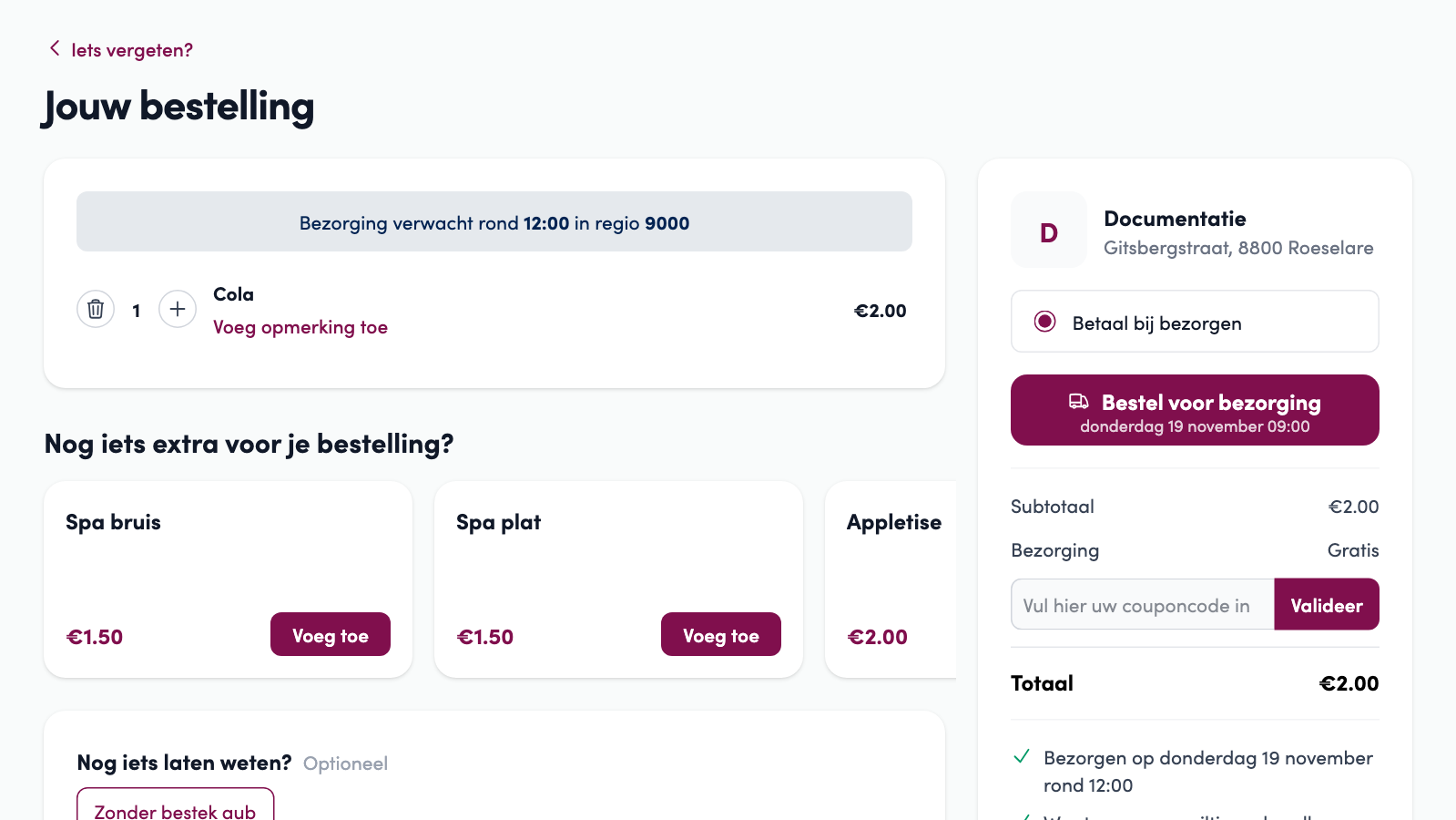
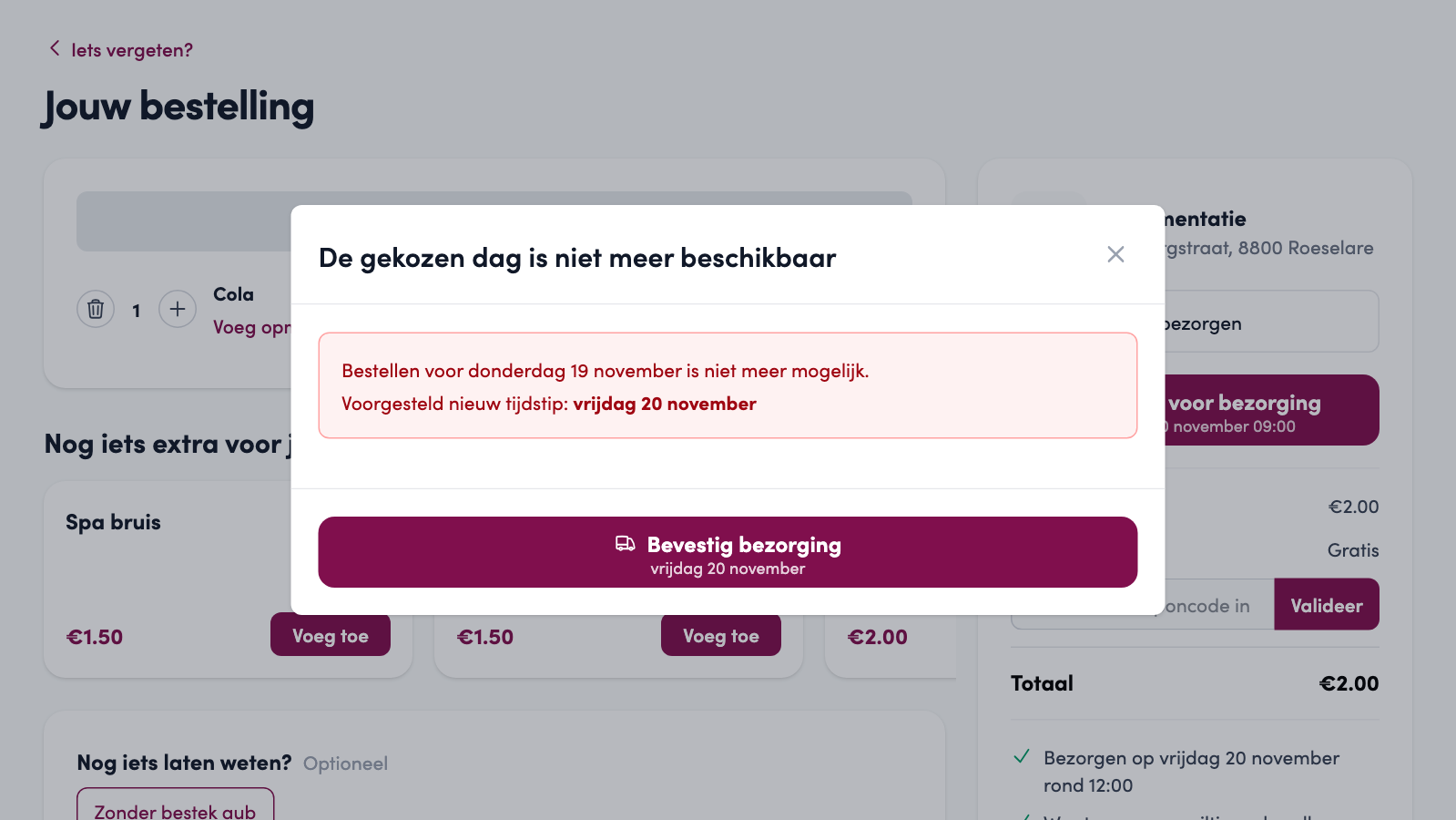
The settings above decide which days your customer sees in the webshop. Sometimes an order page stays open while the day closes in the meantime: the cut-off time has passed, or the day no longer falls within the number of days ahead. If your customer then clicks Order for delivery for a day that is no longer possible, the webshop refuses that order. No order is created and the customer is offered another day.
What your customer sees#
The message The chosen day is no longer available says which day is no longer possible, for example Ordering for Thursday 19 November is no longer possible. Below it is the next day that is still possible, with the button Confirm delivery. So your customer continues right away with the same basket.
If no day is possible anymore, the same message says There are no other days available at the moment.
Tip
You do not need to set anything extra for this: the webshop uses the same ordering window as the days your customer sees in your webshop.
Manual timeslots#
If you switch Create order times automatically off, you create each order time yourself. This lets you set irregular times perfectly, for example only at 17:00, 18:30 and 21:00:

Time (Uur): the time itself. Add times one by one with Add time (Voeg tijdstip toe). They do not have to be evenly spaced, so 17:00, 18:30 and 21:00 works fine.
Min. lead time (Min. voorhand): how many minutes in advance an order must be placed at the latest for customers to still be able to choose this time.
Display text (optional) (Weergavetekst): the name your customer sees instead of the time, for example "Lunch shift".
Handy when building your schedule:
Manual order times are the same every day: switch this on and you set one list that applies to every day. If it is off, each day gets its own tab with its own times.
Copy Monday to: build one day completely and copy it to other days in one click. After that, you can still fine-tune each day.
Add series: add a whole series at once, for example from 17:00 to 22:00 every 30 minutes. Feel free to combine: first a series, then add a few single times or remove unnecessary ones.
Adjusting on the day itself#
Blocking full times, adjusting limits or stepping in with one tap using the quick buttons: you do all this in the day overview. Read all about it in Adjusting timeslots.